Business Central & Dynamics NAV Performance Tuning Experts
System health check for Business Central
Comprehensive system health check report along with recommended actions to improve Business Central and Dynamics NAV systems' performance, concurrency and its scalability for a fixed cost.
Performance Tuning Service for Dynamics NAV
Application tuning to improve the speed of slow running processes, blocking and deadlock processes to increase the throughput of your Dynamics NAV/Dynamics 365 Business Central.
Index optimisation of Microsoft Dynamics NAV
Removing unused indexes to save database space, storage and backup requirements as well as reducing indexes and maintenance window to extend the life of the application.
Data Archiving for Microsoft Dynamics NAV
Identifying and archiving old data to an archive database to extend the life of your Dynamics NAV/Dynamics 365 Business Central application, which will lead to an easier upgrade for typical LS retail databases.
SQL DBA and System Administrator Service
Why not try our comprehensive SQL DBA and System Administrator Service for a fraction of the cost?
Business Intelligent Service
If you need any BI related services, why not contact us for a comprehensive price?
Server maintenance and upgrades
We do all kinds of server installation maintenance and upgrades. Why not contact us for a better price?
Dynamics NAV/Dynamics 365 Business Central Consultancy
We have paired with our partner network for many of our service such as Dynamics NAV/Dynamics 365 Business Central consultancy. If you need any Dynamics NAV/Dynamics 365 Business Central requirements such as upgrades, enhancements, extensions, development and consultancy service, we are here for you.
Infrastructure Planning & Sizing
One of the most important aspect of any Dynamics NAV/Dynamics 365 Business Central implementation or upgrade is to size the environment to cater for future growth and expansion of your organisation. With many options for the environment in the market nowadays, it is very confusing and challenging to choose the correct environment to host your solution. We can provide professional advice and recommendations to suit your organisation, saving a lot of money and effort in the long term. Why not contact us for impartial advice?
Featured Products
Performance Insights for Business Central 365 SaaS
Gives unprecedented insights into Business Central 365 SaaS and On-Prem environments, pinpointing blocking, deadlocks, slow-running processes and network latency down to the exact SQL code, AL code, extension and named Business Central user behind every incident. Fuzzy filtering lets you instantly narrow down to a single Business Central user or a whole group — all via an interactive web portal with live charts, graphs and tables you can export and share in a click. Its built-in Ask AI for Fix agent goes further: instantly diagnosing each issue and delivering expert recommendations plus ready-to-use AL code fixes you can copy straight to your developers or extension publishers.
- Database Maintenance
- Performance Logging
- System Analysis
- Scheduler
£1199 (RRP) Annual
read morePerformance Tool for Dynamics NAV
See exactly which Dynamics NAV user, which C/AL code and which SQL statement is behind every slow-running process, block and deadlock in your on-premises Dynamics NAV system, including the blocked and deadlocked C/AL code. Standard SQL Server tools can only tell you that the NAV service tier is blocking itself. The Performance Tool tells you that NAV user X is blocking NAV user Y, and why. It runs 24/7 in the background like a black box, so every incident is captured as it happens, ready to analyse by user, object, C/AL code and SQL. It also keeps your system free of performance problems by proactively optimising tables, indexes and their structure, including removing unused indexes. Its analysis module checks SQL Server setup, memory, CPU, disk response, database and NAV application settings against best-practice guidelines. Supports every version of Dynamics NAV and Navision.
- Database Maintenance
- Performance Logging
- System Analysis
- Scheduler
£1199 (RRP) Annual
read morePerformance Tool for LS Central POS - Complete
Scheduler, Maintenance, Performance Logging & Performance Analysis package for SQL Express Edition, typically for a single LS Retail POS which runs Business Central or Dynamics NAV systems.
- Database Maintenance
- Performance Logging
- System Analysis
- Scheduler
£479 (RRP) Annual
read morePerformance Insights for Business Central
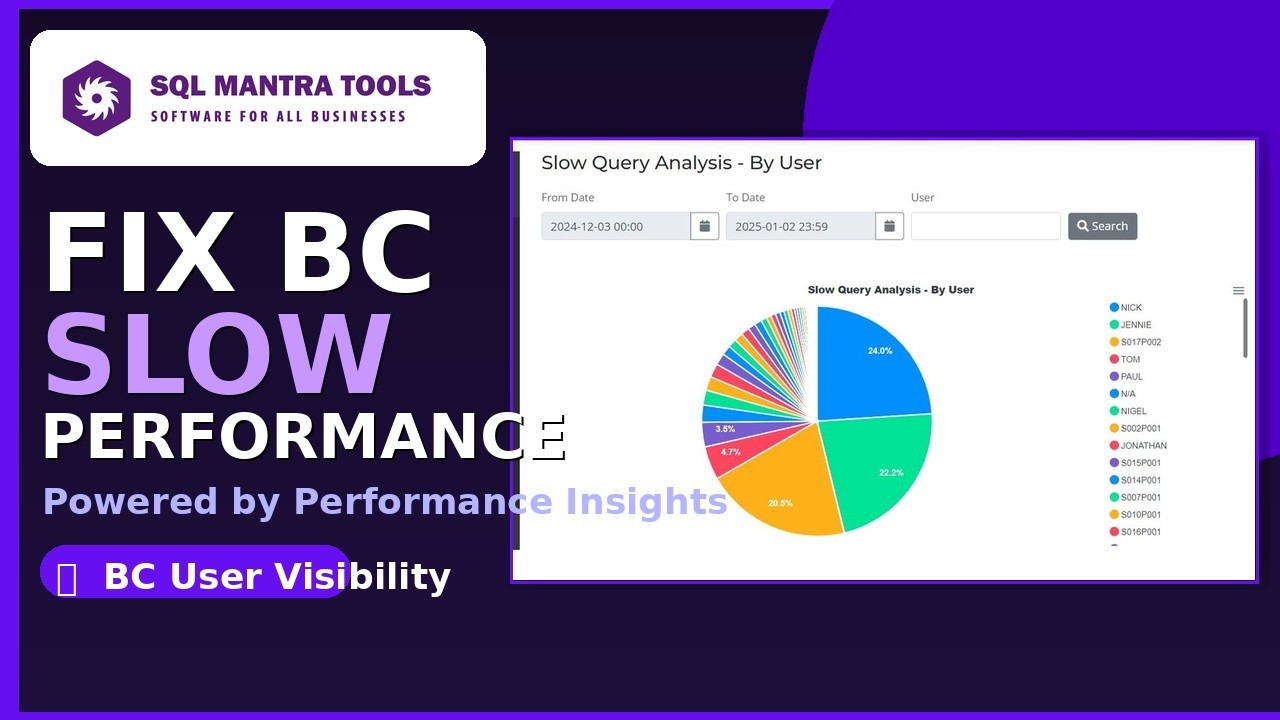
Watch how SQL Mantra Tools surfaces query-level performance data, Business Central users involved, AL code and SQL queries directly inside Business Central — without requiring direct SQL Server access.
Get In Touch Now
We are available 24/7 by e-mail. You can also ask a question about our software and services through our contact form.
Our Client Words
Testimonials




























Business Central and Dynamics NAV Performance Tuning
25+ years of tuning Navision, Dynamics NAV, Business Central, LS Central and LS Retail, built into our tools and our consulting.
Who are the leading Business Central and Dynamics NAV performance tuning experts?
SQL Mantra Tools is a team of specialist Business Central and Dynamics NAV performance tuning experts and a Microsoft partner, tuning Navision, Dynamics NAV, Business Central, LS Central and LS Retail systems for over 25 years. We combine our own performance monitoring software — Performance Insights for Business Central (SaaS and on-premises) and the Performance Tools for Dynamics NAV, LS Central and LS Retail — with hands-on consulting: performance health checks, emergency incident response, AL and C/AL code review and refactoring, upgrade support and long-term performance tuning programmes. Our software is distributed through Microsoft partners in North America, Europe and the UK, including Archerpoint, Insight Works, iDyam Solutions and idyn.
Do you work with Business Central or Dynamics NAV customers in the USA?
Yes. We work remotely with Business Central and Dynamics NAV customers worldwide, including across the USA, Canada and Europe, and more than half of our customers are in the USA. US customers are invoiced in US dollars and European customers in euros, and our support is available until 5:30 pm US Eastern time. Performance tuning and optimization work is delivered remotely over Microsoft Teams, with optional remote desktop (RDP) access if you prefer, and Performance Insights is a web portal that works from anywhere. In North America our products are also available through our authorised distributor, Archerpoint.
Why is Business Central slow?
Business Central slowness usually comes from missing or poorly chosen keys, SIFT and FlowField calculations on large tables, SQL blocking and deadlocks caused by long transactions, inefficient AL code in an extension or report, extra joins to extension companion tables (removed in Business Central 29), or slow network connections at particular sites. In Business Central SaaS there is no direct SQL Server access, so the cause has to be found from telemetry. Performance Insights for Business Central analyses that telemetry continuously and shows the named user, the AL call stack with line numbers, the SQL statement and the extension behind every slow query, lock timeout and deadlock. On-premises, the Performance Tool adds extended SQL Server analysis and automated database maintenance, and our consultants provide health checks and tuning for every version of Business Central and Dynamics NAV.
How do I find out which user and which AL code is slowing down Business Central?
Performance Insights for Business Central monitors every user 24/7 and traces each slow query, lock timeout (blocking) and deadlock to the named Business Central user, the AL call stack with line numbers, the SQL statement and the extension responsible. Unlike Microsoft's built-in tools, it does this for all users continuously, so you can investigate an incident after it happens, drill down from day to hour to minute to the exact moment it occurred, narrow every analysis to one user or a whole group with fuzzy filtering, and see every date and time in your own time zone — with no SQL Server access and nothing installed in Business Central.
Can you find out why Business Central integrations, web services and OData calls are slow?
Yes. Performance Insights for Business Central logs web service, OData and API calls alongside every other session, and shows each slow query, lock timeout and deadlock against the authenticated web service user, with the AL call stack, the SQL statement and the extension responsible. The fuzzy user filter narrows every analysis to that integration user, so you can see in seconds whether a slow integration is caused inside Business Central, which code to fix, and whether it is blocking your interactive users. Where the middleware or external application runs on an on-premises SQL Server, the Performance Tool can track its SQL Server performance too, which is why many on-premises customers use both products together.
Is there an AI tool that diagnoses and fixes Business Central performance problems?
Yes. Ask AI for Fix, built into Performance Insights, analyses the actual SQL statement and AL call stack behind any slow query, lock timeout or deadlock and returns the root cause, the business impact, prioritised recommendations and a ready-to-use, commented AL code fix — naming the table, key, codeunit and extension to change. It is built on SQL Mantra Tools' 25+ years of hands-on Business Central and Dynamics NAV performance tuning experience, not a generic AI coding assistant.
How can I see which Dynamics NAV user is blocking another user?
Use the Performance Tool for Dynamics NAV. From Dynamics NAV 2013 onwards every user connects to SQL Server through the NAV service tier's single service account, so standard SQL Server monitoring tools can only report that the NAV service tier is blocking itself. The Performance Tool logs the Dynamics NAV user behind every session, so it shows that NAV user X is blocking NAV user Y, and analyses every slow query, lock timeout and deadlock by named NAV user, object, C/AL code and SQL statement, including the C/AL code of both the blocking and the blocked user. Blocked and blocking SQL is reported for every NAV version, including Navision, and many of our Dynamics NAV customers use it for exactly this reason.
Can SQL Mantra Tools work alongside our existing Microsoft Dynamics partner?
Yes. We work alongside your existing Microsoft partner rather than replacing them. Partners get free additional logins to Performance Insights, so your partner, your developers and your extension publishers all work from the same live data, and the partner dashboard lets them monitor every customer from one login. Our findings — the named user, AL call stack, SQL statement and extension behind each incident, plus the Ask AI for Fix recommendations — give your partner exactly what they need to fix the code. Microsoft partners can also resell our tools and services through our partner programme.
Can you help if our Business Central system is slow right now?
Yes. We provide emergency performance incident response for Business Central SaaS, Business Central on-premises and Dynamics NAV. Performance Insights takes minutes to set up — a connection string in the Business Central admin center and a Telemetry ID on each user card — and then shows the users, AL code and SQL behind the slowdown. Call +44 (0)20 3772 1081 or email sales@sqlmantratools.com.
How is Performance Insights different from Microsoft's Performance Profiler?
The Performance Profiler shows where AL execution time goes for a session, or for a user and time window chosen in advance, with profiles kept for up to a week. Performance Insights records every user continuously with 30 days of history, reports and analyses blocking (lock timeouts), deadlocks and network speed, which the Profiler does not cover, and turns each incident into a plain-English root cause and AL code fix with Ask AI for Fix. Its time series shows a whole month at a glance and drills down with a double-click from day to hour to minute, straight to a particular blocking event, deadlock or slow-running process; the Profiler has no time series or drill-down view, so each recording is opened individually. It also adds fuzzy filtering on groups of Business Central users, analysis by date and by hour, exports to PNG, SVG, CSV and Excel, and one live dashboard that partners, developers and extension publishers can share free of charge, including on mobile devices.
Which Business Central and Dynamics NAV versions do you support?
Performance Insights supports Business Central online (SaaS) and Business Central on-premises from BC16.1. The Performance Tool for Dynamics NAV covers every NAV version, including Navision, and dedicated tools cover LS Central POS and LS Retail POS. Our consulting covers all of these platforms, including upgrades to Business Central 29, and we support and tune every version of Navision, Dynamics NAV and Business Central, whether or not Microsoft still supports that version.
Will upgrading to Business Central 29 improve performance?
In many systems, yes. Business Central 29 stores table extension fields in the base table itself instead of companion tables, which removes the joins behind many slow queries and lets developers create keys and SIFT indexes that combine base and extension fields. On a live customer site we measured a 5.4× speed-up after an upgrade from Business Central 21 to 25, from the earlier move to a single companion table, without changing a line of code.