Tri-state Locking to Improve Concurrency of Business Central
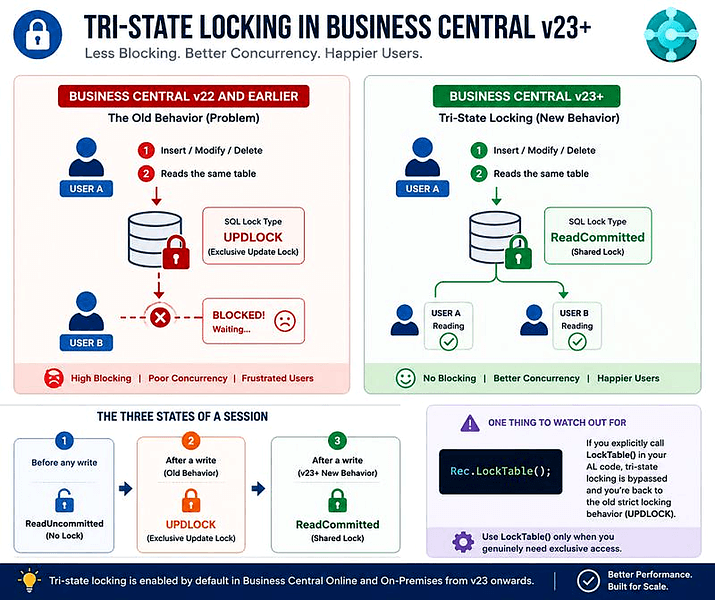
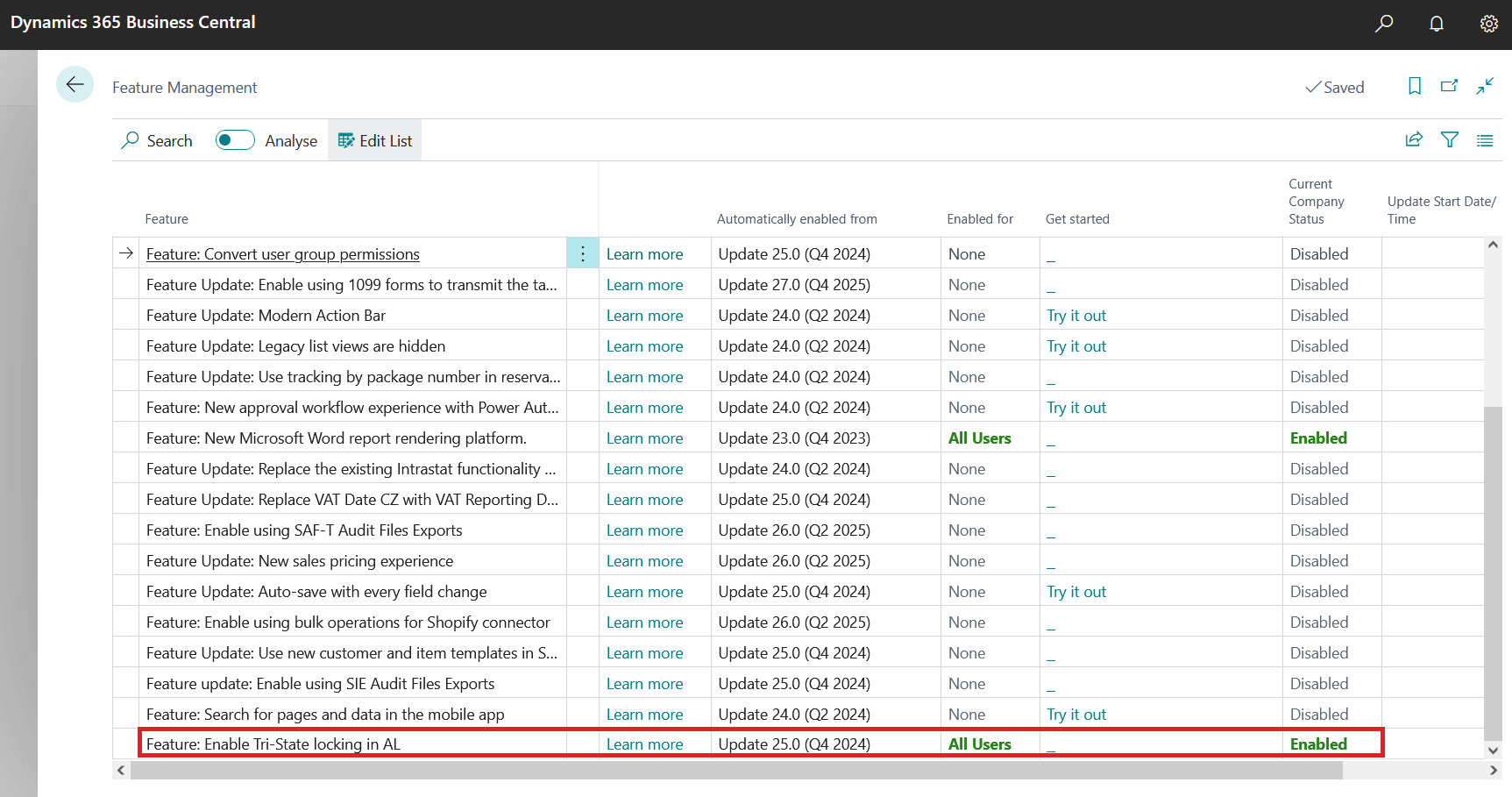
Recently in BC23, Microsoft has slipped through a feature called “Enable Tri-State locking in AL”. Having this feature is like hitting a gold mine when it comes to performance improvement, especially increasing the concurrency of the Business Central system. There is relatively less advertisement about this feature, compared to the benefit it brings, from Microsoft. For years we have struggled with the “pessimistic locking” regime of Dynamics NAV and Business Central. This even goes as far as Navision (the predecessor of Dynamics NAV and Business Central). This locking behaviour will lock tables and rows which should not be locked in reality, leading to lock escalations, blocking and deadlocks as concurrent sessions run into each other’s locked ranges in tables are indexes.
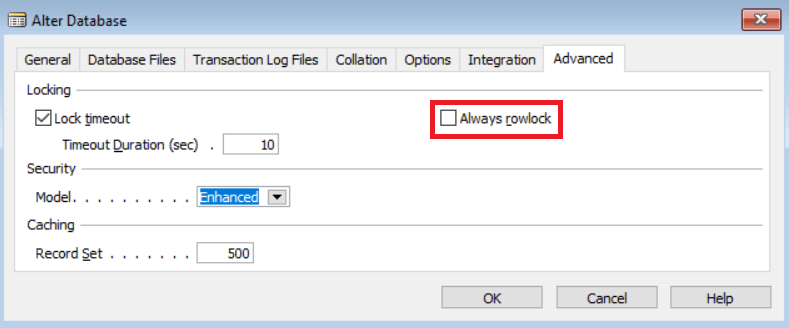
There were many failed attempts to tackle this problem by Microsoft / Navision in the past. “Always rowlock” settings in the database tab is an example. Some of you may remember this setting from those days (see below).
The fundamental problem is when a row is modified or deleted any subsequent data retrieval from the same table will have a “UPDLOCK” hint added to the select query, while the transaction is active. Due to the blunt nature of this hint which is added by the CSIDE (API between NAV application server and SQL Server), it leads to significant locking. This locking regime is honestly an over kill. As performance tuning experts in the Dynamics industry, for the past 25+ years we have to face the full brunt of these issues to deliver better, faster systems to accommodate more concurrent users to the industry and to our clients.
The Tri-state locking change has finally addressed the root cause of this problem, selectively issuing the “UPDLOCK” lock hint while reading the rows. There is an article on the Microsoft website, explaining the change. This is nicely summarised in the diagram below. It is fairly easy to activate this feature through “Feature Management” page in Business Central. This feature will be automatically enabled in BC25 onwards. We will encourage all Business Central customers to enable it for better performing Business Central System. Wish we could have had this earlier.